

User tutorial
Getting started
with limber
Welcome. limber turns the smartwatch you already own into a daily reading of how you move, and pairs it with ten guided minutes a day. This page walks you through your first week — from setup to your first session.
All you need: your iPhone with the limber app, your Apple Watch, and something to clip the watch to at your waist.
- Set up
- Wear your watch
- Home
- Your mobility
- Daily sessions
- Exercises
- Journal
- Your guide
- Speak to limber
- Alerts & safety
- Questions
Step 1
Set up in five minutes
Open the app and tap Get started. limber asks a few quick questions so your program starts in the right place — there are no wrong answers, and you can change everything later in Settings.
- About youYour name and height. Height helps limber read your stride accurately.
- How movement feelsWhether you move freely or more carefully than you used to — and any conditions that affect how you move, in your own words.
- Your program“Move like someone 10 years younger?” Ten minutes a day, an eight-week program, a coach available 24/7. Say yes to start today — or begin later from Sessions.
- Your circleAdd family or friends, and choose who should be notified if limber ever detects a fall. You can also connect a healthcare provider — or skip this entirely.
- Prefer talking to typing?Meet Lumi, the floating mic button — there's a “tap to try it now” right in setup. Then choose alerts on or off and light or dark appearance.
- Connect your watchOpen the limber app on your Apple Watch and the screen confirms when the two are talking. Then tap Enter limber.

Step 2
Clip your watch to your waist
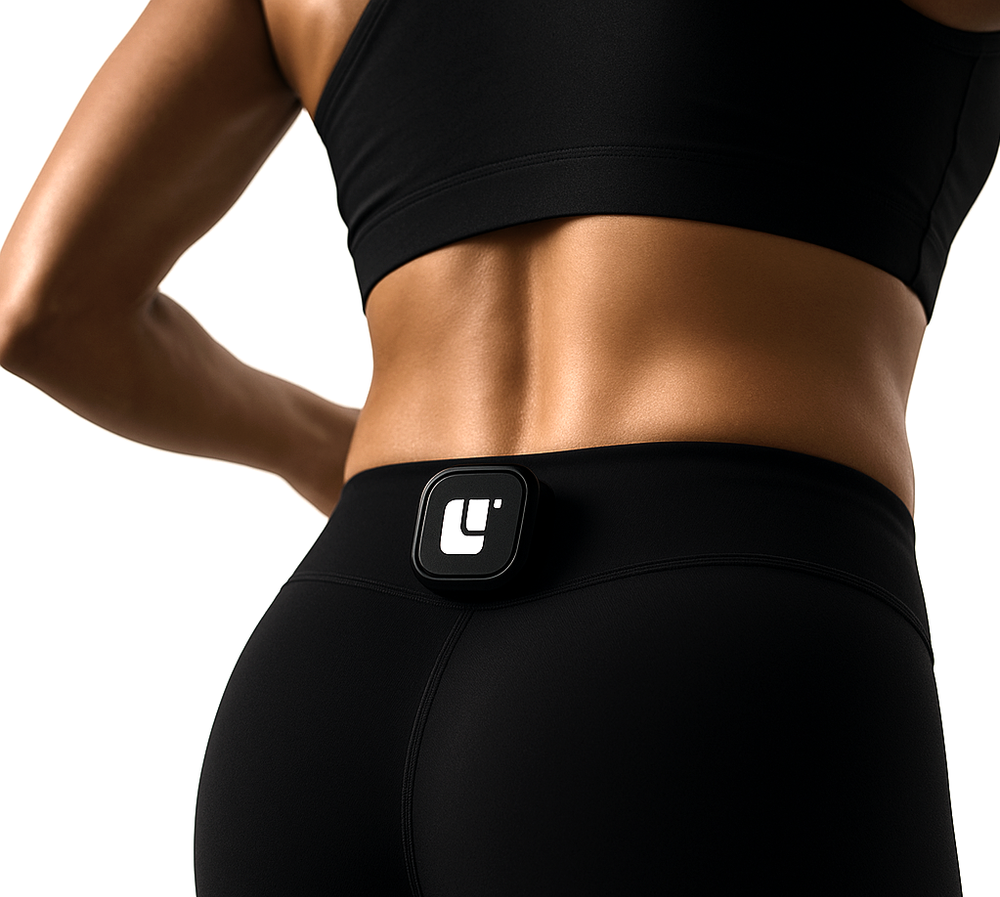
This is the one habit that makes everything else work. Each morning, clip your Apple Watch to your waistband — at the small of your back or on your hip. At your body's centre of mass, it reads your balance, gait and rhythm the way a clinical sensor would.
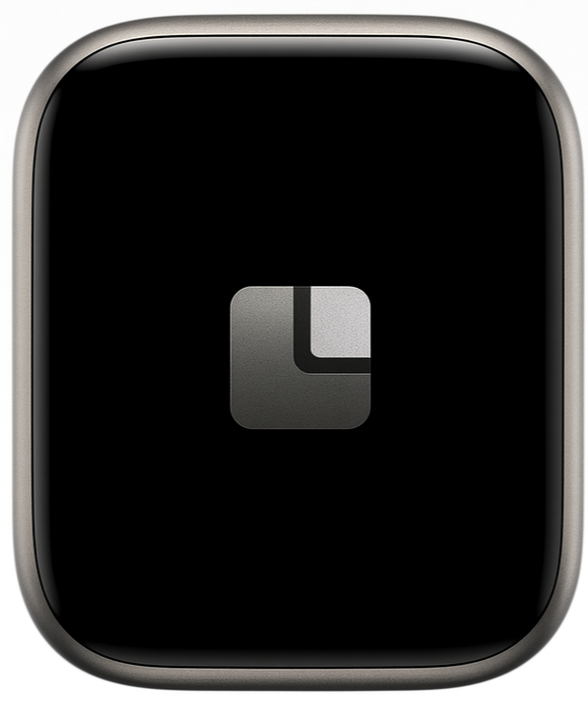
- You'll know it's workingThe watch shows the limber mark — bright while it's capturing your movement, dimmed when it's resting.
- Wear it through your dayOrdinary moments are the measurement: walking to the kitchen, gardening, errands. No tests, no stopwatch.
- Charge it at nightPop the watch on its charger in the evening so it's ready to clip on again tomorrow.
Step 3
Your home screen
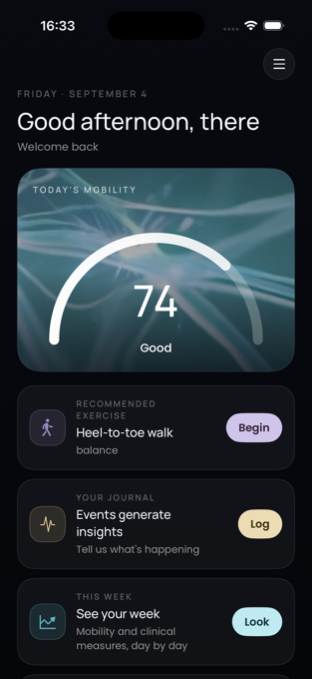
Home greets you with today's mobility score — a single number from 0 to 100 that sums up how you're moving today, with a word like “Good” to read it at a glance. Give it a day or two of wear; the score appears once limber has seen enough of your movement.
Below the score, Home hands you the day:
- Recommended exerciseOne exercise matched to today's signals. Tap Begin to do it now.
- Your journalLog what's happening — events become insights. Tap Log.
- This weekJump to your week of mobility and clinical measures, day by day.
Use the tab bar along the bottom — Home, Exercise, Journal, Guide, Mobility — or the menu in the top corner to move between screens, including Sessions and Settings.
Step 4
Read your mobility
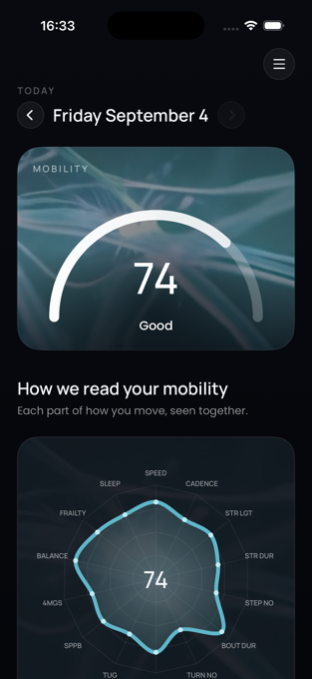
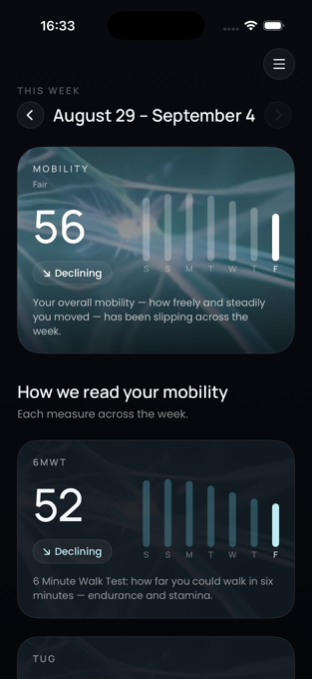
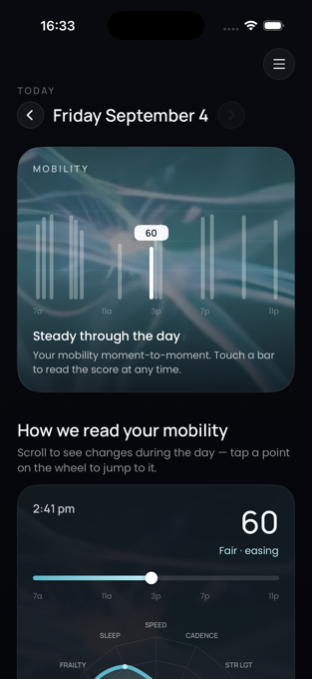
Your score is honest, not a streak to defend. It's built from the same measures a physical therapist would take in clinic — Timed Up & Go, the Short Physical Performance Battery, gait speed, balance — read continuously from how you actually move. Three views let you zoom in and out:
Step 5
Your ten minutes a day
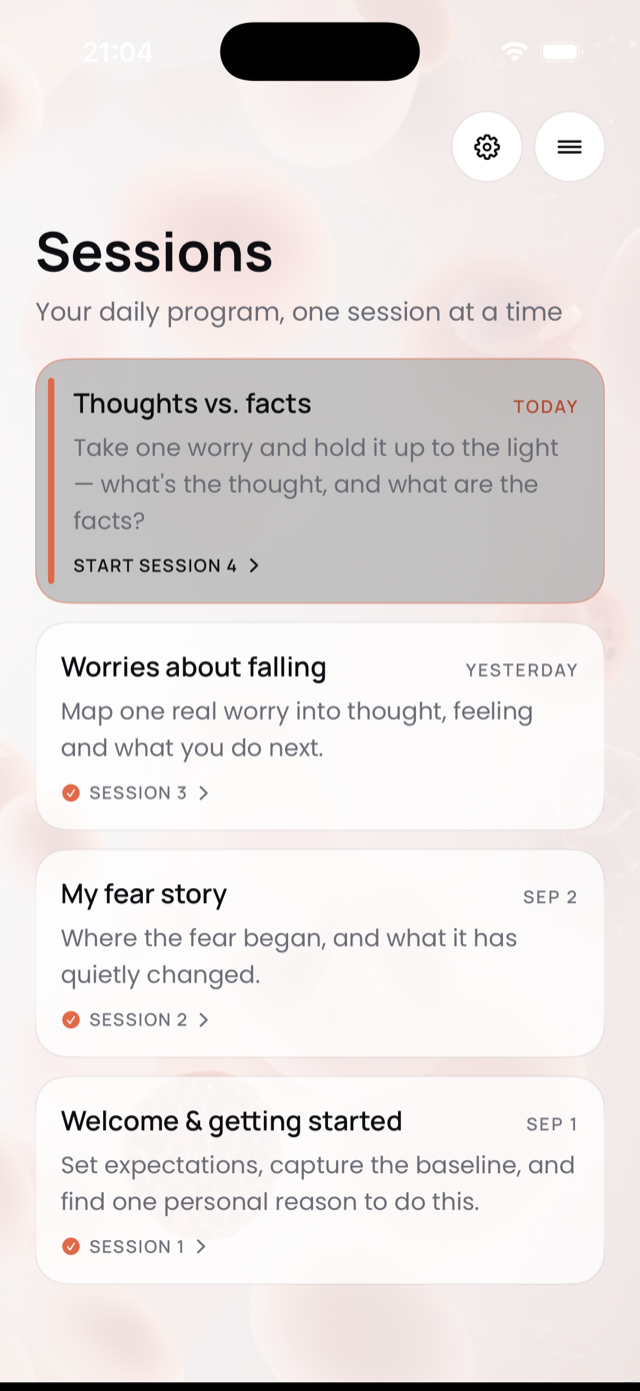
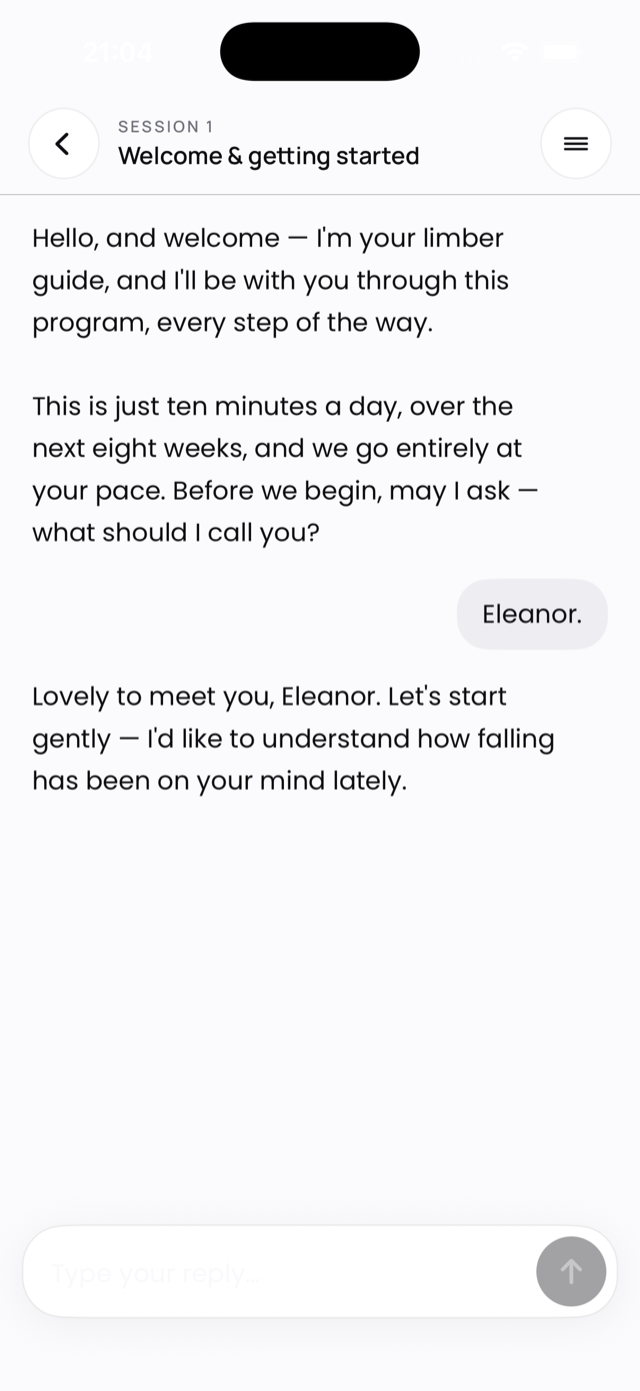
The heart of limber is an eight-week program: one guided session a day, about ten minutes, coached by your guide in plain conversation. Sessions train the thinking, feeling side of movement — confidence, not just muscles — using clinically validated protocols.
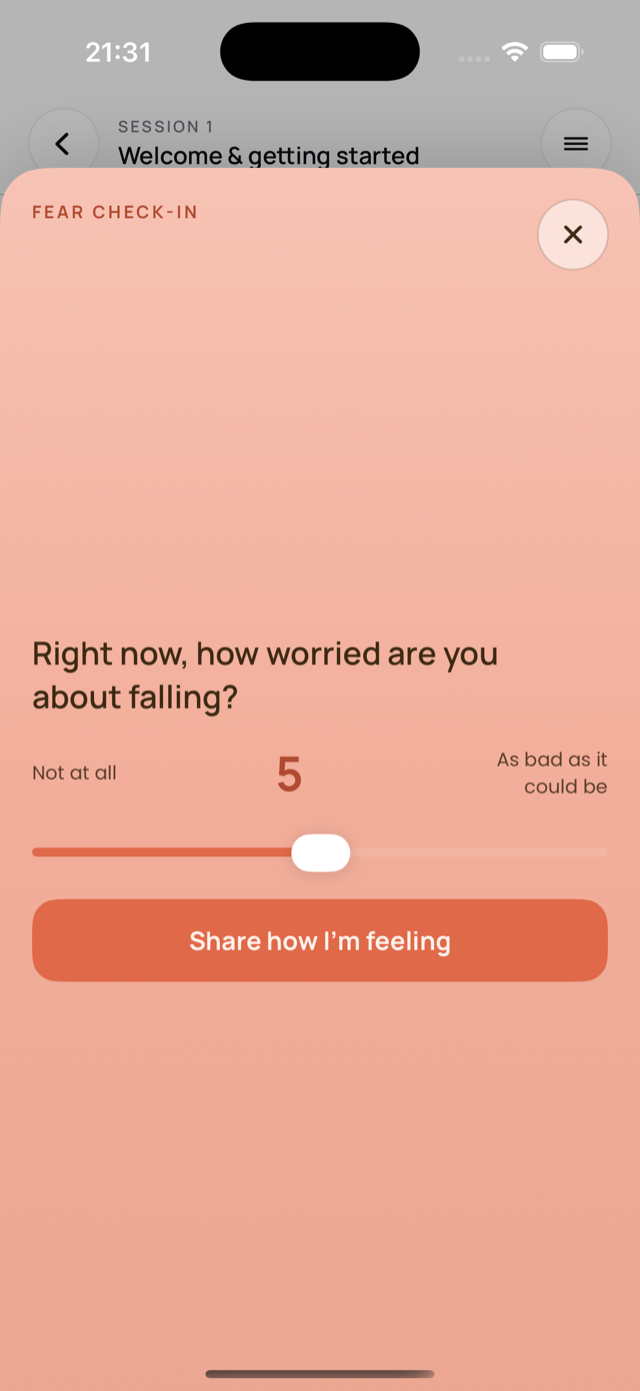
Find today's session on the Sessions screen. Speak or type, whichever feels natural; your guide understands both. Sessions often begin with a short check-in — a slider or a quick question about what's worrying you — and your answers shape where the session goes. Miss a day? Just pick up where you left off. There's no penalty and no catching up.
Step 6
Exercises, chosen for you
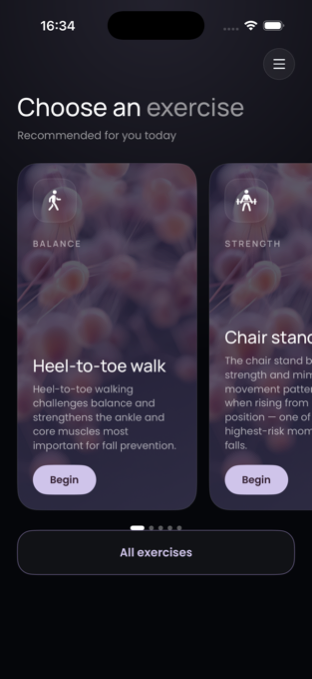
The Exercise tab holds your library of balance and strength work. At the top, limber recommends what fits today — if your balance dipped this week, expect a balance drill like the heel-to-toe walk.
Tap any exercise to see the steps, what it works on, and why it's yours today. Each takes just a few minutes, and finishing one lands it in your journal automatically. You can also add your own — anything your physical therapist gave you belongs here too.
Step 7
Keep the journal, lightly
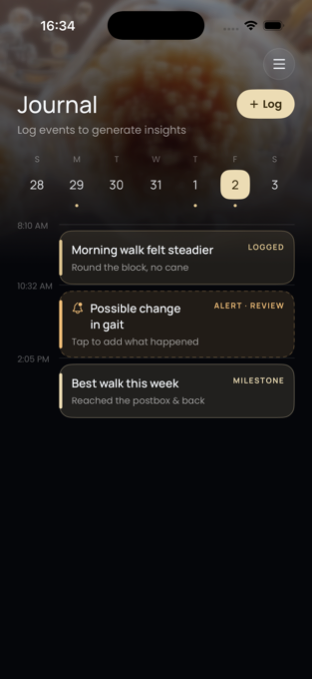
The Journal is a timeline of your days, and it fills itself in three ways:
- You log itTap + Log to note anything — “morning walk felt steadier,” a stumble, a great day in the garden. A sentence is plenty.
- limber noticesWhen your movement shifts — a change in gait, a possible slip — an alert card appears asking what happened. A quick tap adds your side of the story.
- Milestones landBest walk this week, sessions completed, progress worth marking.
The more context you give, the smarter your guide gets about why your numbers move — not just that they moved.
Step 8
Talk to your guide, any time
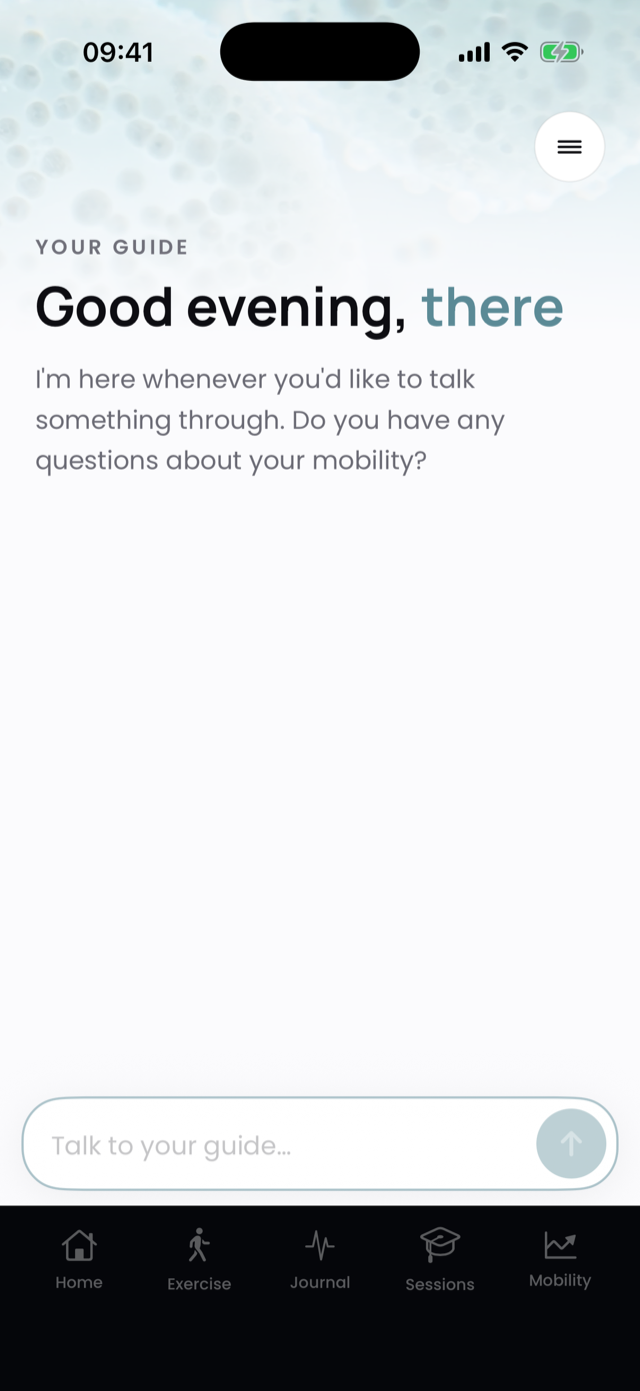
Your guide knows your data — every walk, every session, every journal entry — and answers in plain language, from your own patterns. Open the Guide tab and ask anything:
- “Why did my score dip this week?”
- “Am I steadier than last month?”
- “Can I still garden on Saturday?”
And you don't have to type any of it — limber is built to be spoken to. That deserves its own step, just below.
Step 9
Speak to limber
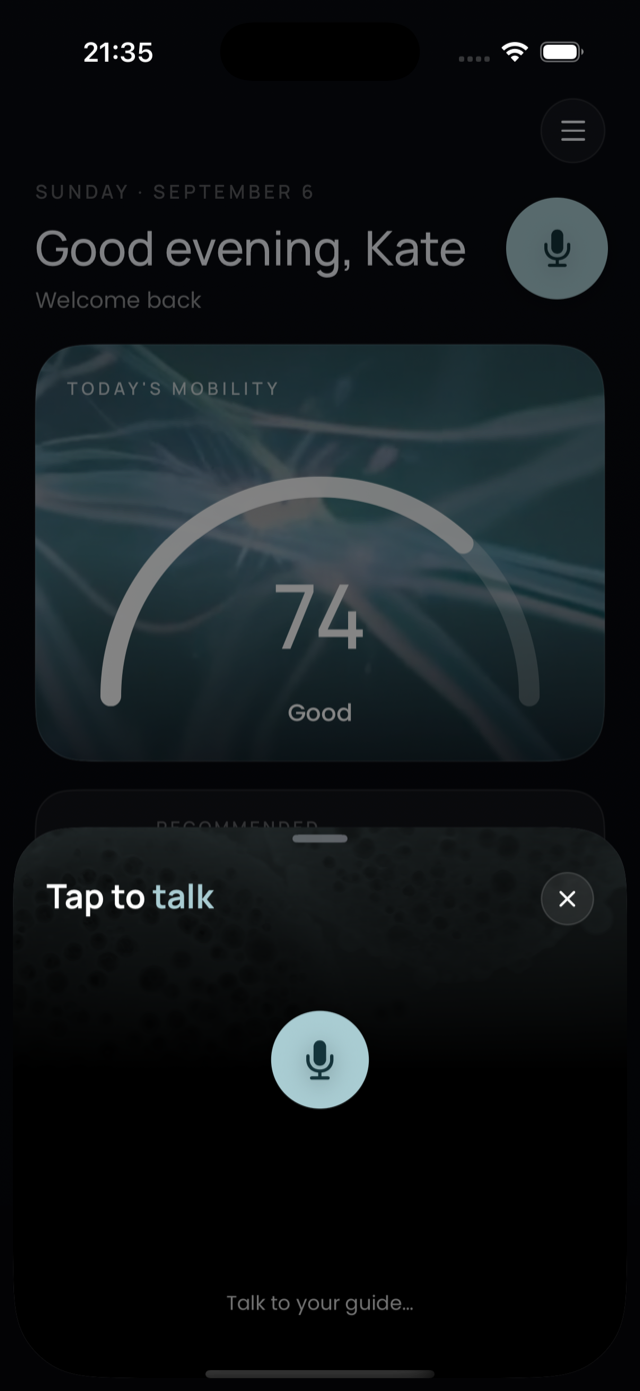
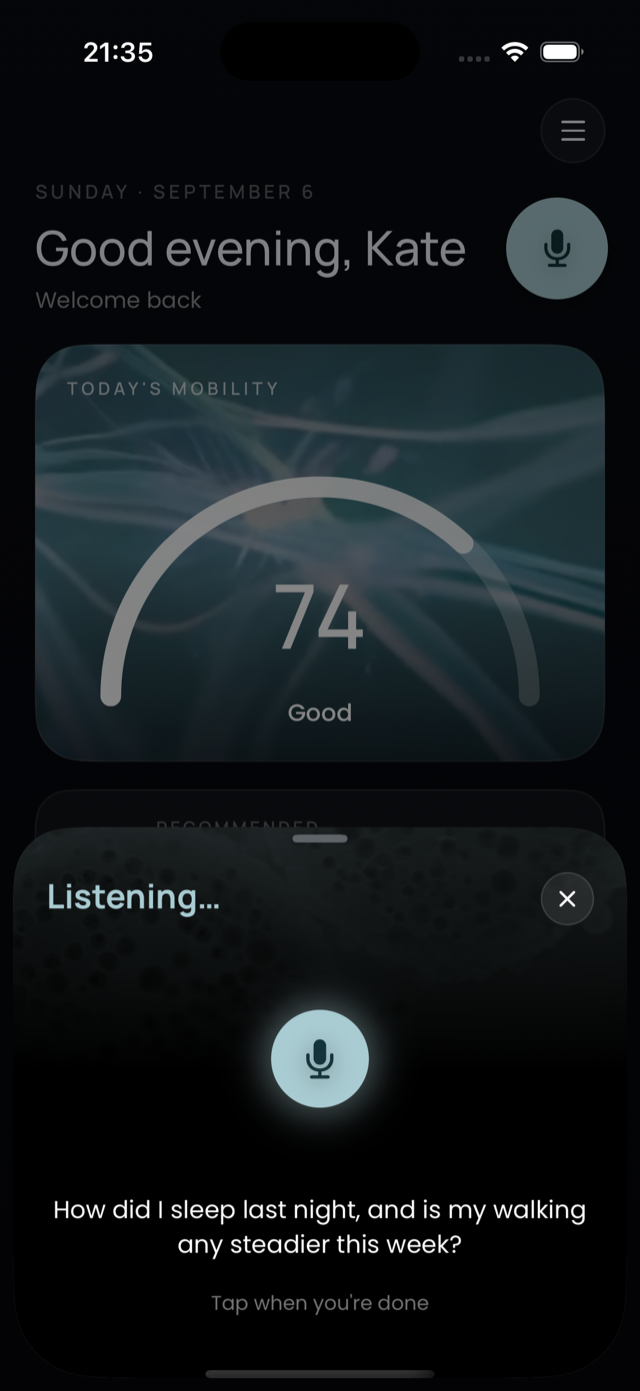
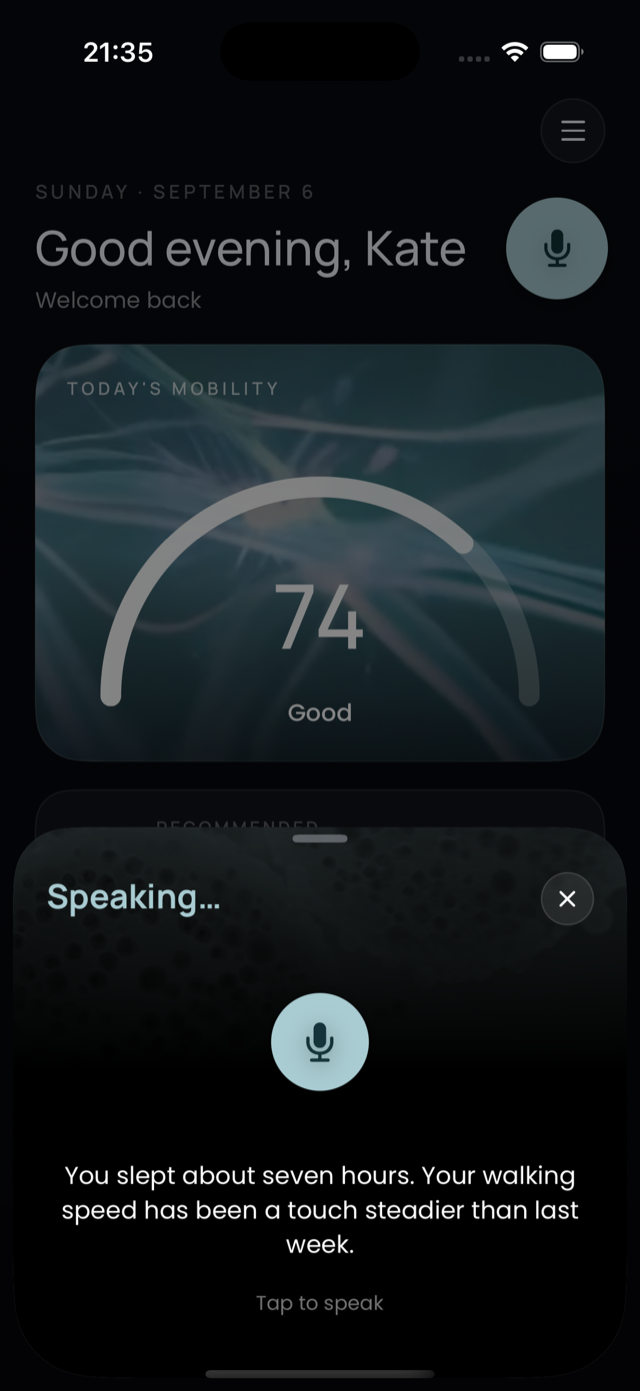
You never have to type. Everywhere you go in the app, a small round mic button floats along — it wears the colour of whichever screen you're on, and you can drag it wherever suits you. Tap it and just talk.
- Lumi listensA panel slides up and the mic glows while it hears you. No wake word, no waiting — speak the way you would to a person.
- Your words appear as you say themThe panel reads Listening… and writes your words on screen as you talk — “How did I sleep last night, and is my walking any steadier this week?” — so you can see you were heard.
- The answer is spoken backIt switches to Speaking… and Lumi replies out loud, captioned on screen: “You slept about seven hours. Your walking speed has been a touch steadier than last week.”
It's the same guide either way — speaking and typing reach the same brain, with the same knowledge of your data. You first met Lumi in setup (“Prefer talking to typing?”), and the floating mic can be turned on or off any time in Settings.
Step 10
Alerts, falls and your circle
limber watches quietly in the background so you don't have to.
- Fall detectionIf limber detects a possible slip or fall, it checks in with you — and can notify the family members you chose during setup, so someone knows without you having to reach for a phone.
- Change alertsWhen your gait or balance shifts in a way worth noticing, an alert appears in your journal. It's a nudge, not an alarm — tap it, say what was going on, and the picture gets clearer.
- You're in controlEverything — who gets notified, which alerts you see — lives in Settings, changeable any time.
Good to know
Common questions
My score isn't showing yet — is something wrong?
Not at all. limber only shows you real readings, never estimates — so your first score appears after it has seen enough genuine movement, usually within a day or two of wearing the watch at your waist. If it's been longer, check that the watch is connected (see below) and worn during your active hours.
How do I know my watch is connected?
Open the limber app on your watch: the limber mark glows bright while it's capturing. If the phone app needs the watch, a card appears at the top of your screen with steps to reconnect — usually just opening the watch app is enough. Still stuck? Make sure Bluetooth is on and both apps are open, then try again.
Do I have to wear the watch on my waist? Why not my wrist?
Your waist is your body's centre of mass — the one spot where balance, gait and turns can be read the way clinicians measure them. On the wrist, arm movement drowns those signals out. Clip it to your waistband each morning and forget about it.
What if I miss a session or a few days of wear?
Nothing breaks. The program waits for you — open Sessions and today's session is ready. Your score simply picks back up when the watch goes back on. limber measures how you move, not how perfectly you use an app.
Who can see my data?
You, and only the people you invite — family members you add to your circle and, if you choose, your healthcare provider. See our Privacy Policy for the full picture.
Something else?
Ask your guide — really, that's what it's for. Or write to us at hello@limber.life; a person reads every message.
limber is a wellness product, not a medical device. It does not diagnose, treat, cure, or prevent any disease or condition, and it's not a substitute for professional medical advice. If you're concerned about your mobility or a fall, please talk to your clinician. Questions any time: hello@limber.life.